
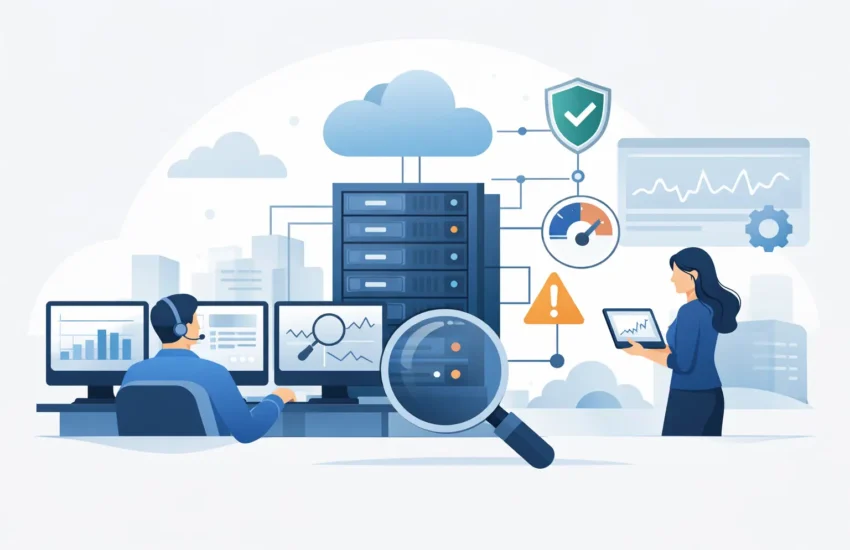
A server rarely fails at a convenient time. More often, performance starts slipping during a busy workday, backups stall overnight, or a firewall issue quietly creates risk long before anyone notices. That is exactly why proactive IT infrastructure monitoring matters. It gives businesses a way to catch warning signs early, respond faster, and keep day-to-day operations from getting knocked off track.
For many small and mid-sized businesses, technology issues do not stay isolated for long. One overloaded device can slow down file access. A failing switch can disrupt phones, printers, and cloud applications. A missed software alert can turn a small problem into a larger outage. When your team depends on stable systems to serve customers, process orders, communicate internally, and protect data, waiting for users to report problems is an expensive way to manage IT.
What proactive IT infrastructure monitoring actually means
Proactive IT infrastructure monitoring is the ongoing practice of watching the health, performance, availability, and security status of critical systems before they fail. That includes servers, workstations, cloud platforms, firewalls, wireless networks, storage, backups, and other connected business technology.
The goal is not just to know when something is down. It is to identify unusual behavior early enough to prevent downtime, limit disruption, or shorten the impact. A full hard drive, a failed backup job, repeated login failures, unstable internet circuits, rising CPU usage, or a device that drops offline intermittently can all point to problems worth addressing before employees start submitting tickets.
That early visibility changes the role of IT support. Instead of spending most of its time reacting to emergencies, the support team can spend more time correcting underlying issues, planning maintenance, and keeping systems in a healthier state overall.
Why reactive support costs more than it seems
Reactive IT support can look acceptable on paper because it feels straightforward. Something breaks, someone reports it, and then IT fixes it. The problem is that the actual cost usually shows up elsewhere.
When systems slow down or go offline, staff lose time. Customers may experience delays. Internal teams get pulled into troubleshooting instead of doing their normal work. If the issue touches email, shared files, phone systems, line-of-business applications, or remote access, the disruption spreads quickly.
There is also the issue of timing. Reactive support often means problems are discovered at the worst possible moment, when business activity is already affected. By then, the repair may require more labor, more escalation, and more recovery work. In some cases, a small issue that could have been handled during routine maintenance becomes a same-day emergency.
That does not mean every issue can be prevented. Hardware still ages, software still misbehaves, and internet providers still have outages. But with proactive monitoring in place, businesses are far more likely to see trouble coming, understand what was affected, and respond with less confusion.
What should be monitored in a business environment
Not every business needs the exact same monitoring strategy. A company with on-premise servers, remote workers, and multiple office locations has different needs than a single-site office running primarily in the cloud. Still, most organizations benefit from consistent visibility across the systems that keep operations moving.
Servers and virtual machines should be monitored for uptime, resource usage, storage capacity, service failures, and patch status. Network equipment should be watched for outages, bandwidth problems, unstable connections, and hardware health warnings. End-user devices matter too, especially when workstations and laptops support remote access, antivirus tools, and core business applications.
Backups deserve special attention. Many businesses assume backups are working until they need to restore something. Monitoring backup success, storage targets, and error conditions helps avoid that false sense of security.
Cloud services also belong in the conversation. Even when infrastructure is hosted elsewhere, businesses still need visibility into user access, application availability, configuration issues, and integration points between platforms.
The business benefits of proactive IT infrastructure monitoring
The clearest benefit is reduced downtime, but that is only part of the value. Proactive monitoring also helps businesses make better operational decisions because it replaces guesswork with real system data.
Faster response when issues appear
When alerts are configured correctly, IT teams can act on a problem as it develops instead of after it causes a wider disruption. That can mean restarting a failed service, freeing up storage, isolating a network issue, or escalating a hardware problem before a total outage occurs.
Better system stability over time
Recurring problems often leave patterns. Monitoring helps surface those patterns so they can be fixed at the source. If a server repeatedly spikes in resource usage every Monday morning, or a backup consistently fails after updates, those trends become visible and easier to address.
Stronger security posture
Monitoring is not the same as full security management, but it plays an important role. Suspicious login activity, endpoint health issues, disabled security tools, and unexpected service changes can all indicate risk. Early detection gives businesses more time to investigate and respond.
More predictable IT planning
Capacity issues rarely appear overnight. Storage fills gradually. Aging hardware shows warning signs. Network loads increase as teams grow. Proactive monitoring gives decision-makers better information about when systems need upgrades, replacement, or reconfiguration.
Less pressure on employees
Employees should not have to be the monitoring system. When users are the first to discover every problem, productivity drops and frustration rises. Quietly identifying and resolving issues in the background creates a more reliable working environment.
Where businesses often get monitoring wrong
Monitoring tools are useful, but tools alone do not solve the problem. One of the most common mistakes is collecting alerts without a clear plan for response. If every minor event triggers a notification, teams start ignoring alerts. If thresholds are too broad, meaningful warnings arrive too late.
Another issue is focusing only on whether a device is online. Uptime matters, but it does not tell the whole story. A server can be technically available while performing poorly. A backup platform can be reachable while jobs are failing. A firewall can be operating while carrying a risky configuration change.
There is also a business reality to consider. Small and mid-sized companies do not always have internal staff available to review dashboards around the clock. That is where a managed services model often makes practical sense. Ongoing monitoring has more value when someone is actually watching, interpreting the alerts, and taking action.
What effective proactive IT infrastructure monitoring looks like
Effective monitoring is built around business priorities, not just device counts. The systems that affect revenue, communication, security, and employee productivity should receive the most attention. That usually starts with identifying critical assets and understanding what normal performance looks like.
From there, alerting should be tailored. A warning that can wait until business hours should not be treated the same way as a failed backup, internet outage, or server issue affecting the whole company. Escalation paths matter too. If an alert appears at 2:00 a.m., someone needs to know whether it requires immediate action or scheduled follow-up.
Good monitoring also includes review, not just reaction. Trends in performance, recurring faults, patch issues, and aging infrastructure should feed into regular maintenance and planning discussions. That is where proactive support moves beyond firefighting and starts improving reliability over time.
For businesses working with an outside IT partner, the quality of communication matters as much as the technology behind the monitoring. Clear updates, practical recommendations, and fast incident response make the service useful to non-technical decision-makers. BizByteIT approaches monitoring with that business-first mindset because the point is not just to generate alerts. The point is to keep companies operational.
Is proactive monitoring enough on its own?
Usually, no. Monitoring is a core part of healthy IT operations, but it works best alongside patch management, endpoint protection, backup oversight, documentation, access controls, and responsive support. Think of it as an early warning system, not a complete IT strategy by itself.
The right approach also depends on your environment. A business with a simple cloud setup may need less infrastructure oversight than a company with physical servers, multiple vendors, remote offices, and compliance requirements. What matters is that your level of monitoring matches your operational risk.
If your business is still finding out about major issues only after employees complain, customers notice, or systems go offline, that is a sign your IT support model is too reactive. Proactive IT infrastructure monitoring gives you a better way to stay ahead of problems, protect productivity, and make technology less disruptive to the work your team needs to do every day.
A dependable IT environment does not happen by accident. It comes from paying attention before small issues become expensive ones.
