If your team is losing time to slow computers, recurring network issues, and support requests that never seem fully resolved, you are already asking the right question: how does managed IT services work, and what actually changes when a provider takes over day-to-day support?
The short answer is that managed IT services replace the break-fix model with ongoing oversight. Instead of waiting for something to fail and then scrambling to fix it, a managed services provider monitors, supports, maintains, and improves your technology on a continuing basis. For many small and mid-sized businesses, that means fewer interruptions, clearer accountability, and access to broader IT expertise without building a large internal team.
How managed IT services work in practice
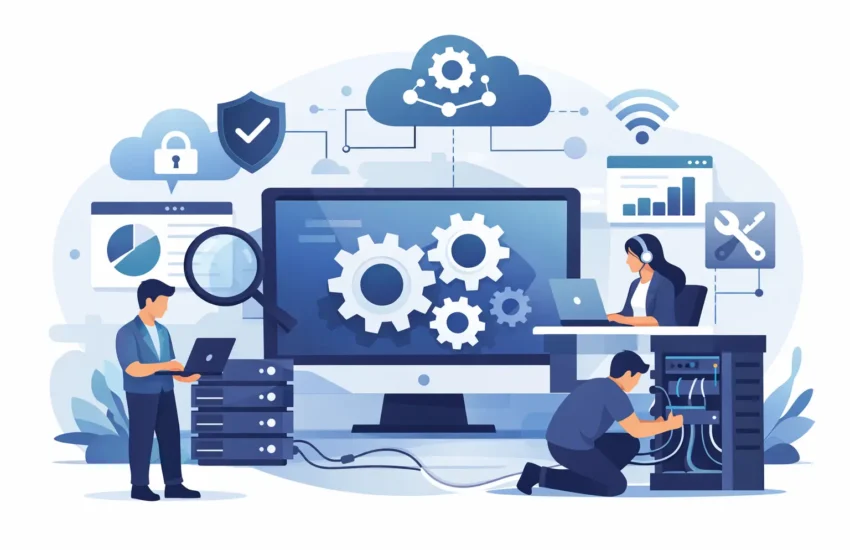
At a practical level, managed IT services work through a service relationship rather than one-off repairs. Your provider becomes responsible for a defined scope of IT operations, usually under a monthly agreement. That scope may include helpdesk support, device management, server administration, network oversight, cloud support, cybersecurity tasks, backup monitoring, patching, and strategic guidance.
The provider typically starts by reviewing your environment. That includes your workstations, servers, Microsoft 365 or other cloud platforms, firewalls, wireless networks, business applications, backup systems, and user access. From there, they document the environment, identify risks, and set standards for support and maintenance.
Once service begins, monitoring tools are installed across key systems. Those tools watch for common issues such as failed backups, low disk space, unusual device behavior, offline servers, expiring certificates, security alerts, or hardware performance problems. When something falls outside normal conditions, the provider is alerted so they can investigate before the issue turns into downtime.
That proactive layer is what separates managed services from basic tech support. You still get help when users have problems, but the goal is to reduce the number of problems in the first place.
What a managed IT provider actually does
A good way to understand how does managed IT services work is to look at the day-to-day responsibilities. Most providers handle a mix of user support, infrastructure management, and planning.
User support usually starts with the helpdesk. Employees submit tickets for password resets, login problems, printer issues, software errors, email syncing problems, file access issues, and device setup. The provider handles these requests remotely when possible and onsite when needed.
Infrastructure management covers the systems behind the scenes. That includes server health, network performance, firewall configuration, updates, backup checks, antivirus management, endpoint protection, cloud administration, and user account controls. These tasks are not glamorous, but they are what keep your business running.
There is often a strategic piece as well. Managed IT is not just about keeping the lights on. A capable provider helps plan hardware replacements, improve security controls, support office moves, onboard new employees, migrate systems to the cloud, and guide technology decisions based on business needs rather than guesswork.
The service model behind managed IT
Most managed IT relationships are built around a recurring monthly fee. That fee may be based on the number of users, devices, locations, or the complexity of your systems. In return, the provider delivers an agreed set of services with defined response expectations.
This matters because it changes incentives. In a break-fix arrangement, the provider gets called when something breaks and bills for the repair. In a managed model, the provider is expected to keep systems stable over time. Preventing problems becomes part of the job, not an unpaid extra.
That does not mean every service is unlimited or all projects are included. Routine support and maintenance are usually covered, while larger projects such as full migrations, major upgrades, or office build-outs may be scoped separately. The details vary, so businesses should pay close attention to what is included, what is excluded, and how after-hours support is handled.
Why proactive support makes such a difference
The biggest operational advantage of managed IT services is consistency. Businesses rarely struggle because of one dramatic IT failure. More often, they lose time through constant smaller issues – unstable Wi-Fi, unmanaged updates, poor documentation, aging equipment, weak backup checks, and slow support responses.
Managed services address that by creating a repeatable support process. Systems are monitored. Patches are scheduled. Backups are reviewed. Security settings are maintained. Tickets are tracked. Escalations are defined. Documentation is kept current. When a staff member leaves or a new location opens, there is already a support structure in place.
For business owners and operations leaders, that structure reduces uncertainty. You are not wondering who to call, whether anyone is watching the network, or whether backups have been failing quietly for two weeks.
How onboarding usually works
The first phase is often more involved than businesses expect, and that is a good thing. A thorough onboarding sets the foundation for everything that follows.
Your provider will usually inventory devices and software, review admin access, confirm backup status, evaluate cybersecurity settings, document vendors and licenses, and identify unsupported systems. If your environment has been loosely managed, this process can uncover risks that were never fully addressed.
There may be some cleanup at the start. Old user accounts get disabled. Devices missing updates are brought into compliance. Backup jobs are corrected. Monitoring is rolled out. Network equipment is reviewed. This early work is where a provider starts moving your IT from reactive to controlled.
Not every environment can be standardized overnight. If your business has legacy software, industry-specific hardware, or multiple locations with different setups, the provider may phase improvements over time. That is normal. Good managed IT is not about forcing a generic model onto every business. It is about building a support approach that fits the real environment while reducing risk step by step.
Where managed IT fits best
Managed IT services make the most sense for organizations that need reliable support but do not want the cost or complexity of staffing every IT role internally. That includes companies with 10 to 250 employees, distributed teams, multiple offices, compliance pressures, or systems that are too important to leave unmanaged.
It can also work well for businesses that already have an internal IT person. In those cases, the managed provider may handle monitoring, after-hours support, cybersecurity operations, cloud administration, or project work so the internal team is not stretched too thin.
The right fit depends on your environment. A very small company with simple systems may only need partial support. A growing business with cloud apps, onsite equipment, remote employees, and security concerns usually benefits from broader coverage.
Common concerns businesses have
One concern is loss of control. In reality, a good provider should increase visibility, not reduce it. You should know what systems are being managed, how support is requested, what response times to expect, and what recommendations are being made.
Another concern is cost. Managed IT is a recurring expense, so it deserves scrutiny. But cost should be compared against downtime, lost staff productivity, emergency repair bills, security incidents, and the expense of trying to cover everything with limited internal resources. Cheap support often becomes expensive support once recurring issues and slow response times start affecting operations.
Businesses also worry about whether an outside provider will understand their needs. That is a fair question. Some providers are too generic or too reactive. The better ones communicate clearly, document thoroughly, learn your business priorities, and support both cloud and traditional environments without making every issue sound more complicated than it is.
What good managed IT should feel like
When managed IT is working well, your staff knows where to go for help and gets timely answers. Routine maintenance happens without chaos. Security and backup tasks are not left to chance. Technology decisions are less reactive and more planned. Problems still happen, because no environment is perfect, but they are handled faster and with less business disruption.
That is the standard many businesses are looking for when they ask how does managed IT services work. They are not asking for theory. They want to know who is watching the systems, who responds when something breaks, and whether the provider can keep the business moving.
For companies that need dependable day-to-day support, managed IT is not just outsourced troubleshooting. It is an operating model built around prevention, responsiveness, and continuity. That is why the right provider relationship matters so much. If your technology is essential to serving customers, supporting employees, and staying productive, consistent support is not a nice extra. It is part of running the business well.
If you are evaluating providers, look for one that explains the work clearly, responds quickly, and can support your environment as it exists today while helping you improve it over time. That kind of partnership tends to solve more than technical issues. It gives your business more room to operate with confidence.
